
Telegram operations and customer governance · October 13, 2026
Telegram customer support weekly review checklist
A short, repeatable review helps a support lead see what needs attention before the next week starts. The goal is not another report; it is a clear decision on ownership, customer follow-up, risk handling, and access.
Why a weekly review matters for Telegram teams
Telegram support work often looks healthy in a chat list while important work is waiting in the background. A customer may have no owner, a reply may be overdue, or a risk event may need a human decision. A weekly review gives the team a consistent point to turn those signals into named actions.
Keep the review focused on operational facts already available to the team. Do not use it to infer customer satisfaction, compliance, or performance targets that the system does not measure.
The five-part review checklist
1. Start with pending conversations
Open the pending-reply view and check the number of waiting conversations, their waiting time, current response status, and assigned employee or team. Prioritize customers with no clear owner or with a next action that has already passed. A manager should leave this step with a named owner for every conversation that still needs work.
Use the messaging guide for the supported conversation entry points and keep the operational decision in the customer record rather than in a private side chat.
2. Reconcile ownership and context
For each open customer item, confirm that the owner is still the right person, the source account is correct, and the latest context is visible. Review the customer's labels, follow-up description, and last action together. If responsibility changed during the week, record the handoff and the next action so another teammate can continue without guessing.
When an item belongs to a different team, transfer the responsibility instead of copying customer details into an ungoverned document. The customer ownership guide explains the supported ownership model.
3. Review risk and approval events
Check the risk and audit areas for blocked or flagged messages, approval requests, and events that still need a decision. Separate a rule match from a confirmed policy violation: the first is a signal for review, not proof of intent. Record the reviewer, outcome, and follow-up when the workflow supports those fields.
Keep sensitive message content out of weekly summaries unless the people reading the summary are authorized to see it. See the audit trail guide and sensitive-content controls guide for the boundaries of those workflows.
4. Check access and resource coverage
Review whether the people handling open work still have the access they need, whether any company account or channel is unmanaged, and whether a role change created stale access. Use organization scope and named roles to keep access explainable. A support owner should not need unrestricted access to every customer or account to complete one assigned action.
Access review is a governance task, not a reason to share passwords, verification codes, API hashes, or session files. COnnect does not replace Telegram's own session and recovery controls.
5. Close with a dated action list
Write down only actions that have an owner and a due point: reply to a customer, transfer an account, review an event, change a role, or verify a handoff. At the next review, start by checking these actions. This makes the routine cumulative without turning it into a second ticketing system.
What a good review produces
- Every waiting conversation has a visible owner or an explicit reason it does not need a reply.
- Customer context and the next action are available to the people responsible for follow-up.
- Risk and approval events have a review status and a responsible reviewer.
- Access changes are tied to a role, team, or account decision.
- The next review can compare open actions without exposing unnecessary customer content.
How COnnect supports the routine
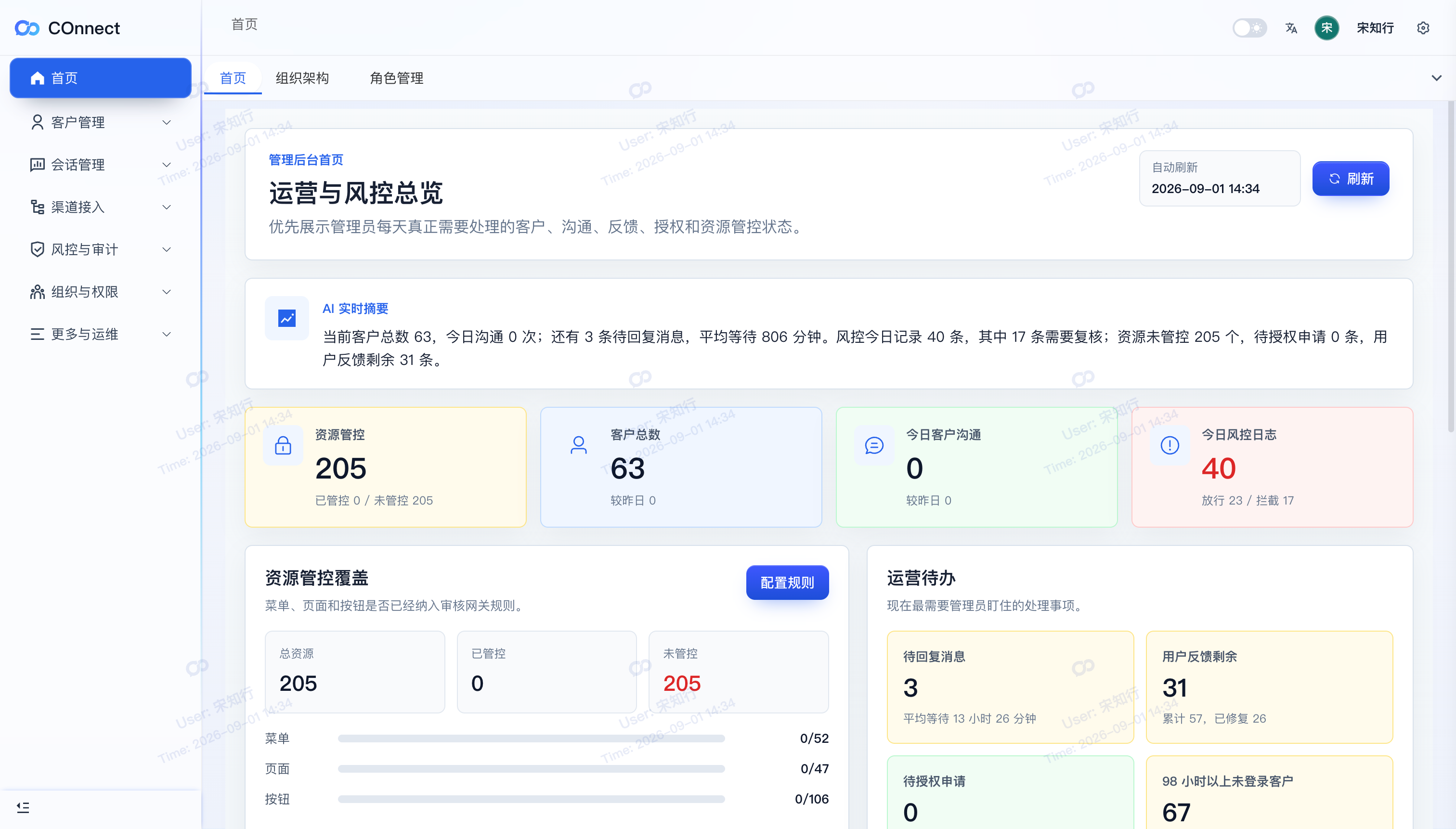
COnnect's Admin Console surfaces operational areas such as pending replies, customer communication, risk logs, resource governance, and authorization work. Teams can then move from an overview signal to the supported customer, audit, or access workflow. Which metrics and controls appear depends on the account, client, permissions, and deployment configuration.
Use this checklist as an operating habit, and pair it with the data-access control guide when deciding who should see each workflow.
FAQ
Does COnnect automatically schedule a weekly review?
No. This article describes a team operating routine. COnnect provides supported views and workflows that a manager can review; it does not turn this checklist into an automatic compliance report.
What should a manager do when a pending conversation has no owner?
Confirm the customer and source account, assign the next customer-facing action to a named teammate or team, and record the handoff in the supported ownership workflow.
Can a risk-log entry be treated as proof that a customer message violated policy?
No. A rule match or risk event is a signal for human review. The reviewer should make the decision using the organization's policy and record the outcome where the workflow supports it.
Make the next customer action visible.
See how COnnect connects Telegram conversations, ownership, risk review, and controlled access for enterprise teams.
Talk to the enterprise team