
Keep ownership, department, and next action visible to the whole team.
For customer-facing teams
Make customer communication accountable.
COnnect gives teams one place to assign customer ownership, control access, track follow-up, and respond to communication risk across Admin Console, Web, and App.
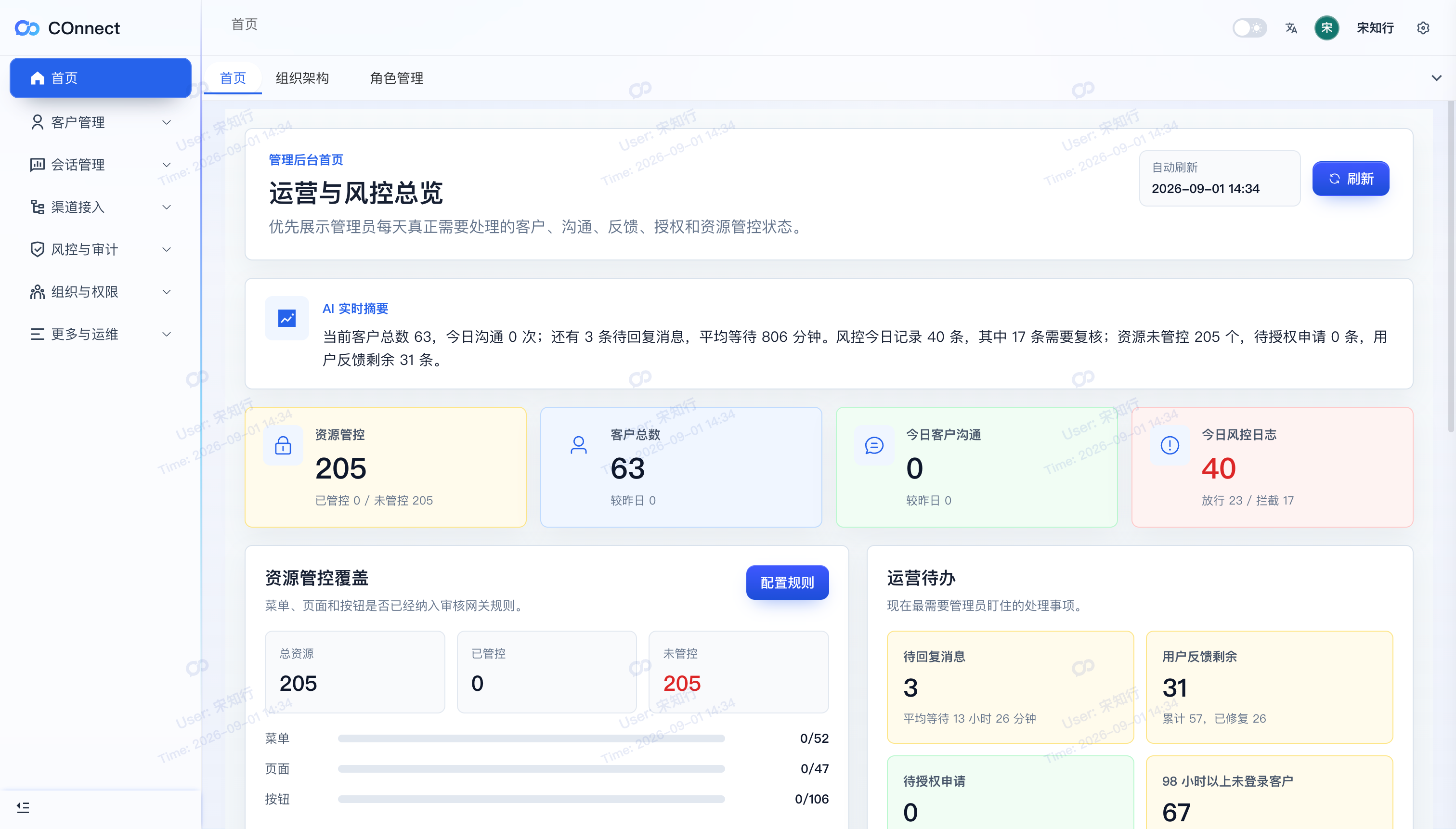
Current product workspaceCustomer ownership · pending work · governance signals
Clear customer ownership
Permission control
Follow-up visibility
Risk response
Turn conversations into shared context instead of private employee knowledge.
Apply permissions and approval rules before a risky action becomes a business loss.
See device and account risk clearly, then respond with a defined workflow.
Why teams look for a system
Customer growth creates a management problem before it creates a software problem.
Connect starts with the reality of external channels, growing teams, and customer context that cannot stay inside one employee's account.
More customers, more channels, more handoffs.
Teams start in Telegram and other external channels. As volume grows, ownership and response work become harder to see.
Customer context can disappear with one person.
Accounts, conversations, and internal information can cross business boundaries when there is no shared operating model.
Make ownership, follow-up, and risk actionable.
Connect links communication to customers, permissions, approval rules, tasks, and response workflows.
From conversation to governance
One customer workflow, with the right surface for every role.
The Admin Console sets the rules, PC Web keeps daily service moving, and App keeps the team connected when work leaves the desk.
Admin Console
Manage channel accounts, sensitive-word policies, pending replies, and high-risk access from one overview.
PC Web
Give service teams a focused queue for replies, customer context, AI assistance, summaries, and tasks.
App
Keep customer context, follow-up, AI assistance, and service continuity available away from the desk.
Shared governance
Connect customers to owners, conversations to tasks, sensitive content to policy, and access to approval.
What the team can do next
Move from a customer message to a governed next action.
COnnect gives managers and service teams a shared path from channel intake to follow-up, AI assistance, task ownership, policy enforcement, and approval.
Admin Console / Intake
Bring external channels into an accountable starting point.
Manage company Telegram accounts, connect each account to the right employee, and give customer ownership a reliable foundation.
Work
Personal
Client
Channel linked
PC Web / Service
Give every pending reply a clear owner and next step.
Bring waiting time, customer context, tags, notes, AI suggestions, summaries, and tasks into the same service workflow.
APP
API
FILE
Context ready
Policy / Approval
Keep sensitive communication inside the rules.
Block sensitive content at send time, then route legitimate exceptions through approval, time-limited authorization, and an auditable record.
iPhoneOnline
UnknownRisk access
Approval required
1.0 / Admin Console
Bring channel accounts into an accountable starting point.
Manage company Telegram accounts, connect each account to the right employee, and give customer ownership a reliable foundation.
- Manage company channel accounts and employee associations.
- See pending replies, customer ownership, and operating status.
- Turn internal policy into practical team workflows.
2.0 / PC Web
Give every pending reply a clear owner and next step.
Bring waiting time, customer context, tags, notes, AI suggestions, summaries, and tasks into the same service workflow.
- Prioritize the customers who are waiting for a response.
- Keep context available when a conversation changes owner.
- Turn promises and follow-up actions into tracked tasks.
3.0 / Policy & Approval
Keep sensitive communication inside the rules.
Block sensitive content at send time, then route legitimate exceptions through approval, time-limited authorization, and an auditable record.
- Maintain sensitive-word rules for your business red lines.
- Show a clear block message when content cannot be sent.
- Record the request, reviewer, validity, and final decision.
Product in action
See the work behind the promise.
One governed workflow across Admin Console, PC Web, and App. These product views show the current customer ownership, reply, AI assistance, and approval surfaces. The source screenshots are currently in Chinese; the workflow and captions below are provided in English.
Review customer activity, pending work, channel status, and team signals before they become blind spots.
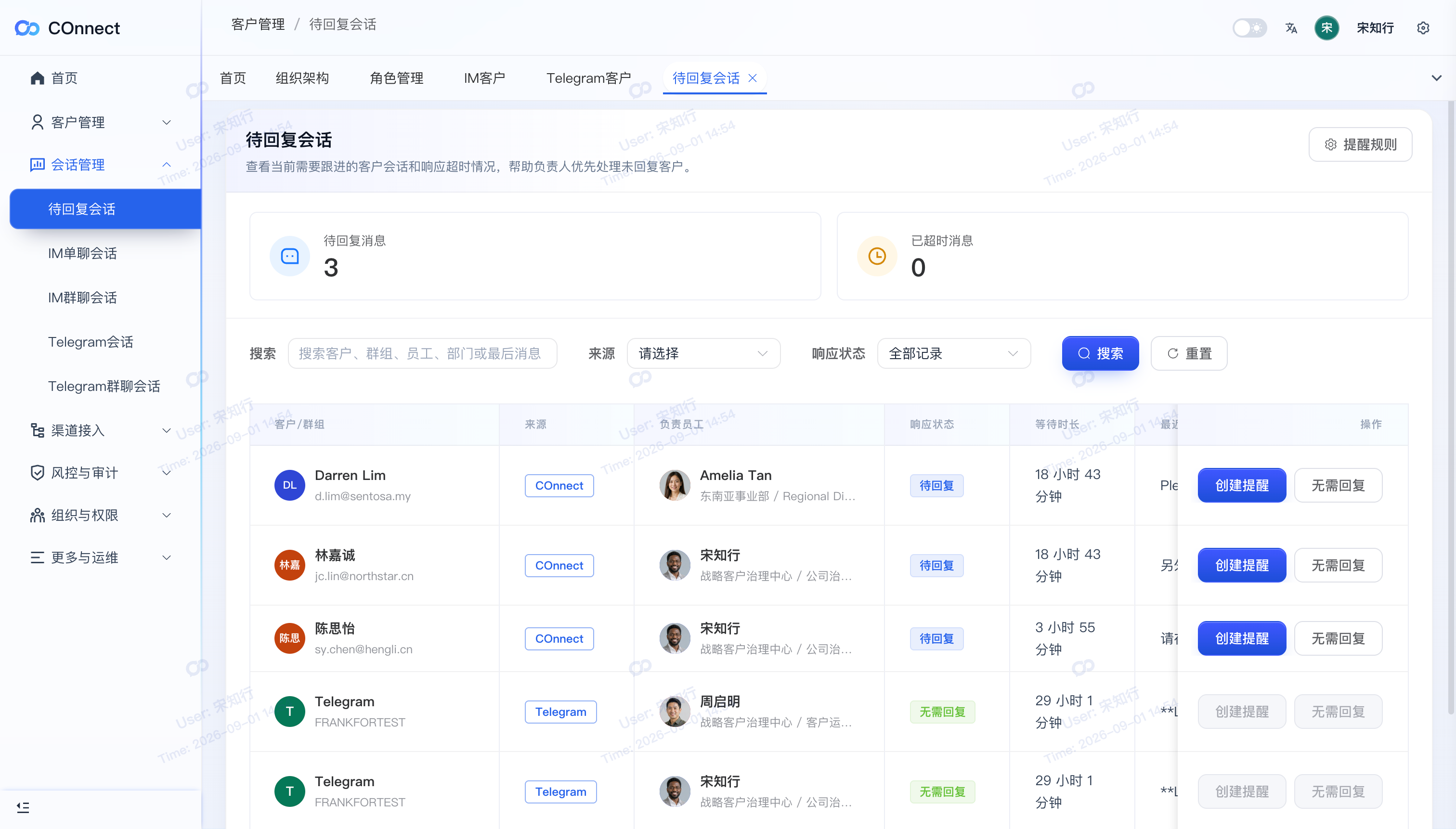
Pending replies help teams find the conversations that need a next action.
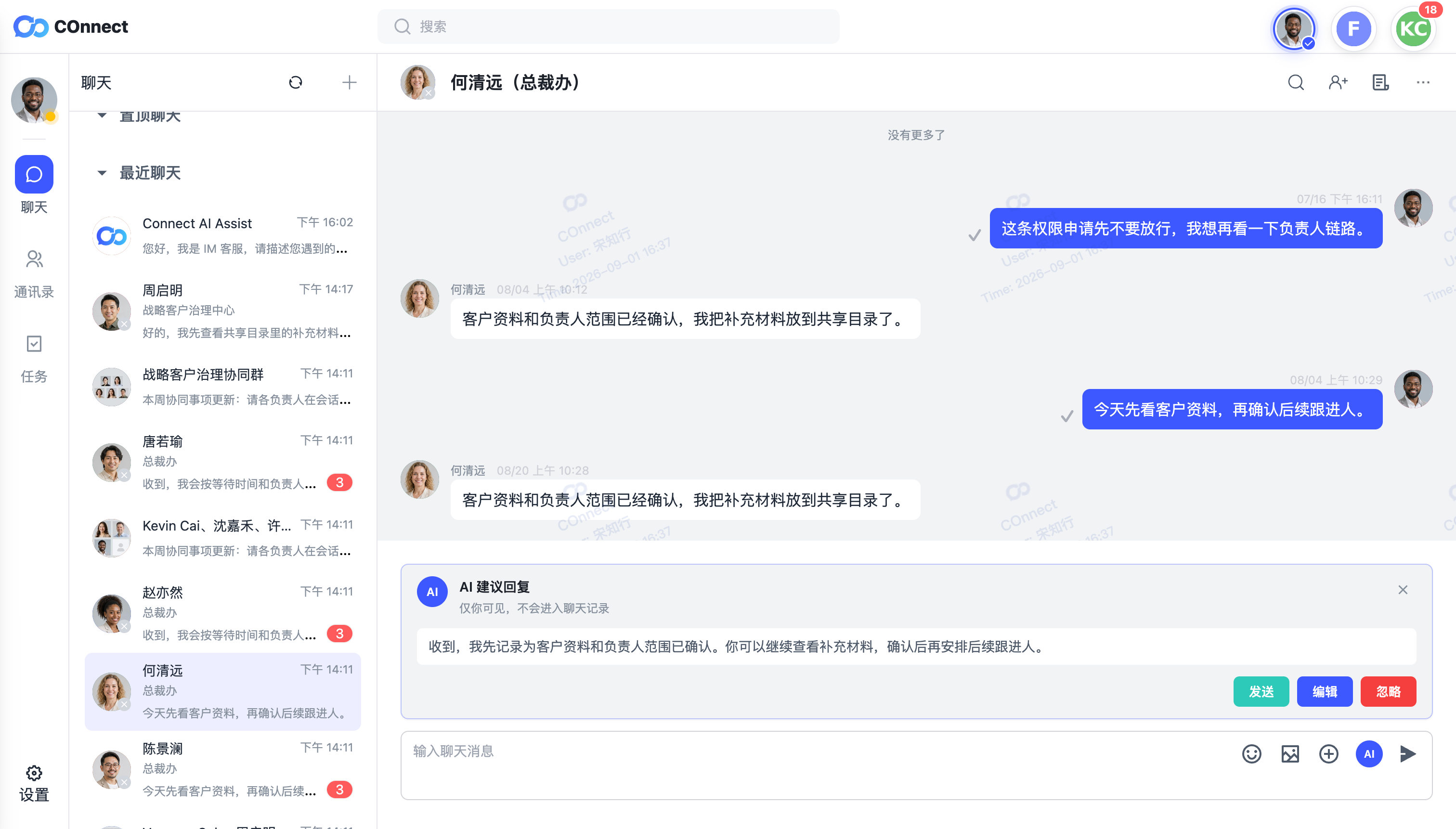
Customer context and AI suggestions stay beside the work, with the employee still in control.
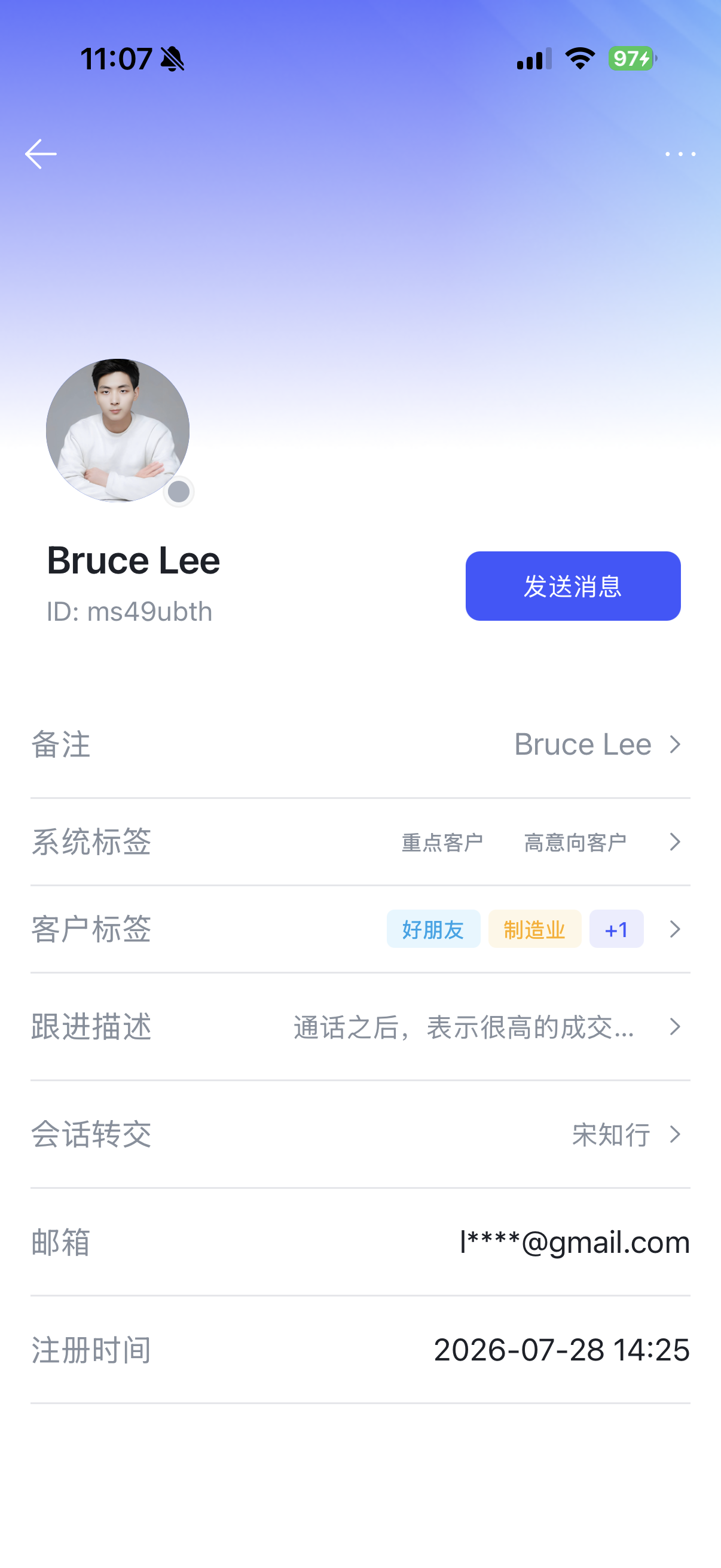
Mobile access keeps customer information and follow-up continuity close to the team.
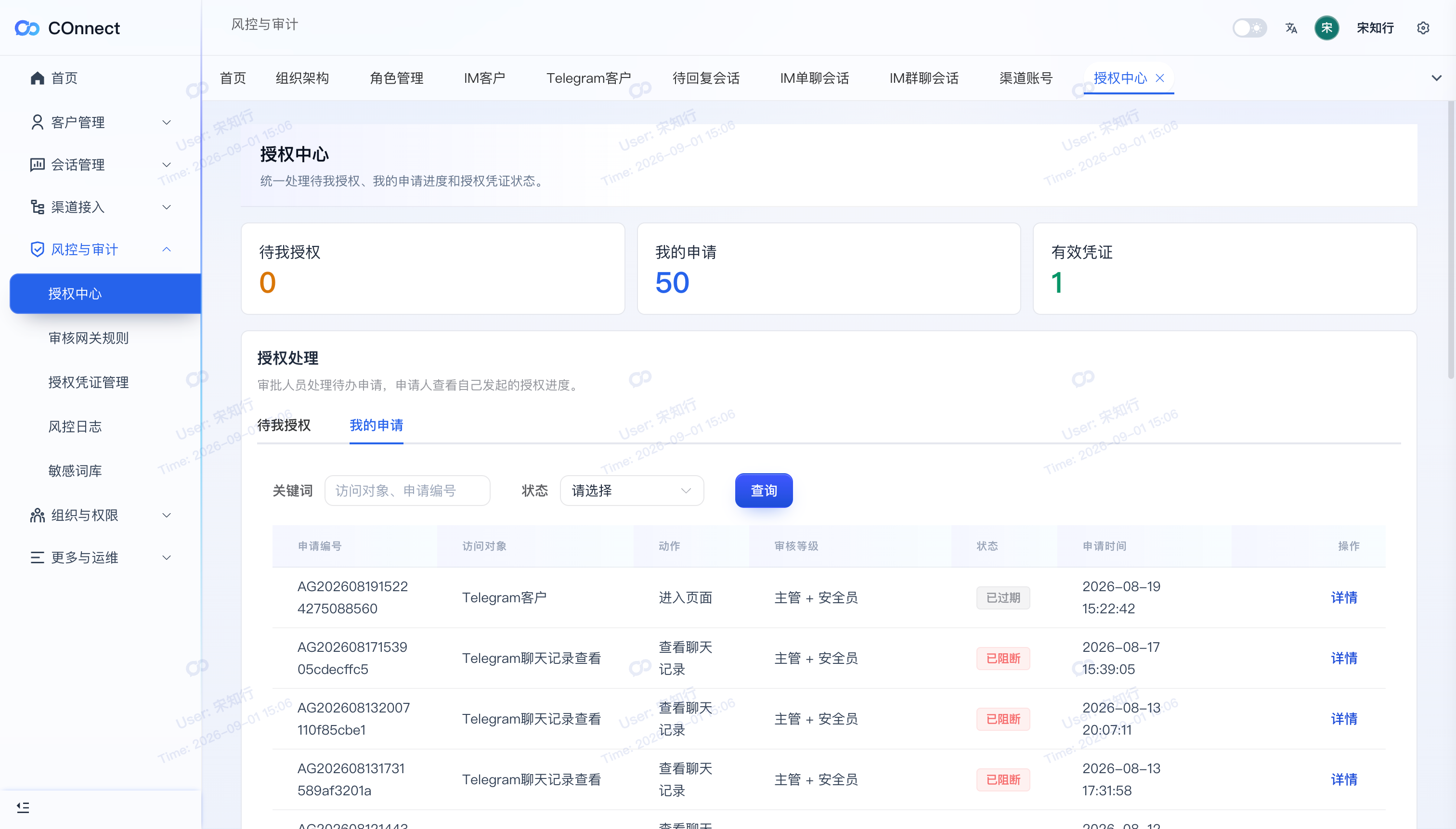
Authorization requests create a visible decision path for sensitive operations.
One workflow across three surfaces
Keep the customer context with the work, wherever the work happens.
Admin Console, PC Web, and App have different jobs but share one customer and governance system.
Customer context
Make every handoff easier to continue.
Labels, notes, summaries, saved items, and tasks keep the customer story useful when a conversation changes owner or moves from desk to mobile.
Client A
Waiting for follow-up
Before you bring COnnect to your team
Straight answers for operators and decision-makers.
Understand the day-to-day workflow, security boundaries, and rollout path before you book a conversation.
How does COnnect protect connected accounts?
COnnect uses user-authorized integrations, independent PIN verification, device management, and local protection controls to reduce unauthorized access risk on supported devices.
Does COnnect store my data in plain text?
Client-side local databases are designed to use encrypted storage so local data is not stored as plain text on supported devices.
What happens if I lose my device?
You can use remote erase flows on a new device to help remove data from the old device when supported by your account and device state.
What is emergency data wipe?
Emergency wipe can clear local data after repeated incorrect PIN attempts, helping reduce exposure in high-risk situations.
Are files and images protected?
Images and files are designed to be protected during transfer with encrypted sharing flows for supported communication scenarios.
Who is COnnect built for?
It is built for teams that manage customer conversations, accounts, files, channels, and devices, with controls for daily operators and security teams.
Why use separate PIN protection?
Separate PIN protection limits how much can be exposed if one account, password, or unlocked device becomes risky.
Can I manage device access?
COnnect includes device management and login records so you can review access and spot unusual activity more easily.
Does security make COnnect harder to use?
COnnect is built around simple daily controls, so stronger protection can sit inside normal communication habits.
Can I still use COnnect for productivity?
Yes. Saved items, labels, and search help teams keep communication organized without moving away from the secure workspace.
Can I use it to organize customers and important contacts?
Yes. Labels, notes, saved items, and search help turn scattered chats into useful context you can find again later.
Access COnnect
Need the mobile workspace?
Individuals and small teams can start with COnnect on iPhone. Enterprise teams can book a guided rollout with COsolutions.
Available now onApp Store
Live

Coming soon onGoogle Play
Coming soon

App Store launch
A focused mobile workspace for daily communication.
Use the App Store listing to explore the mobile experience, then talk to us about customer operations, permissions, and team rollout.

Designed for the App Store.
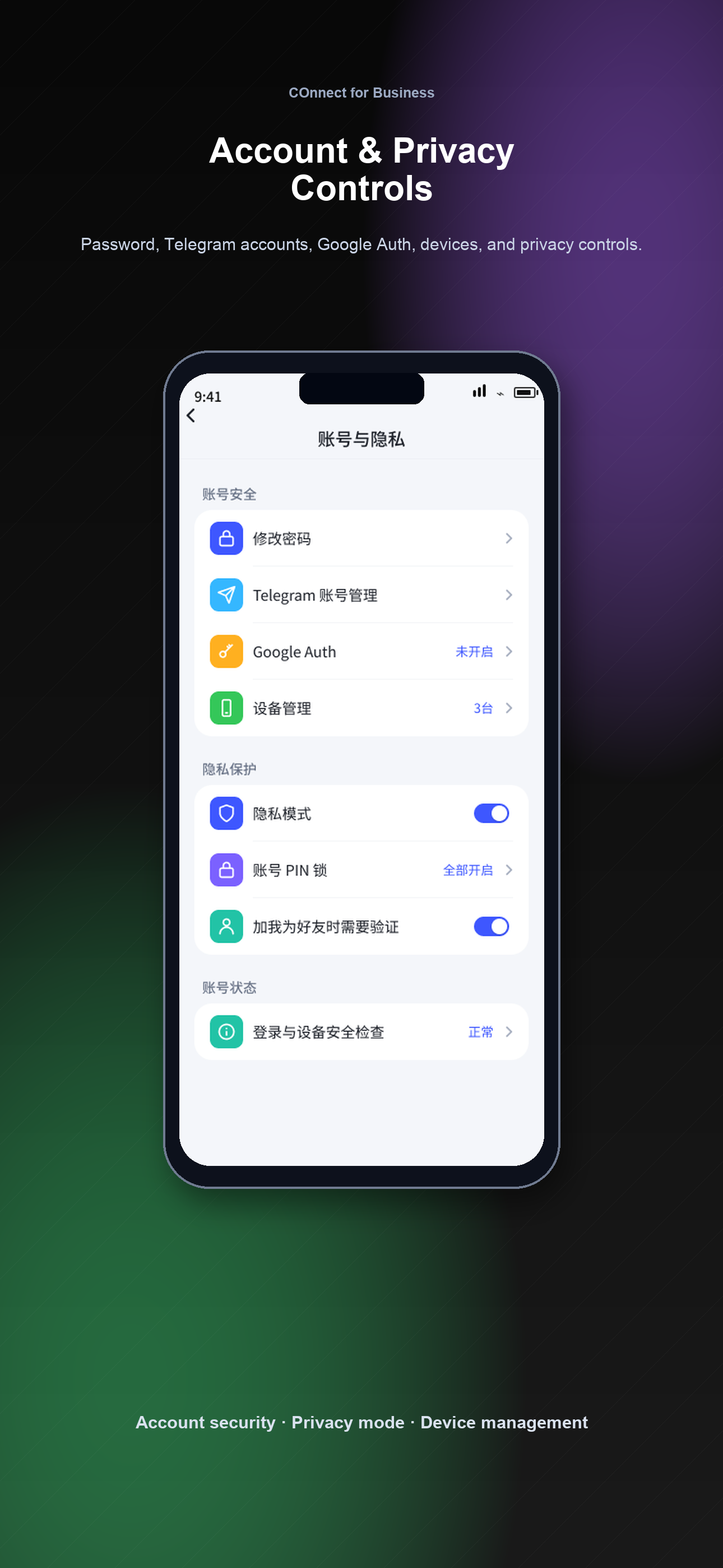
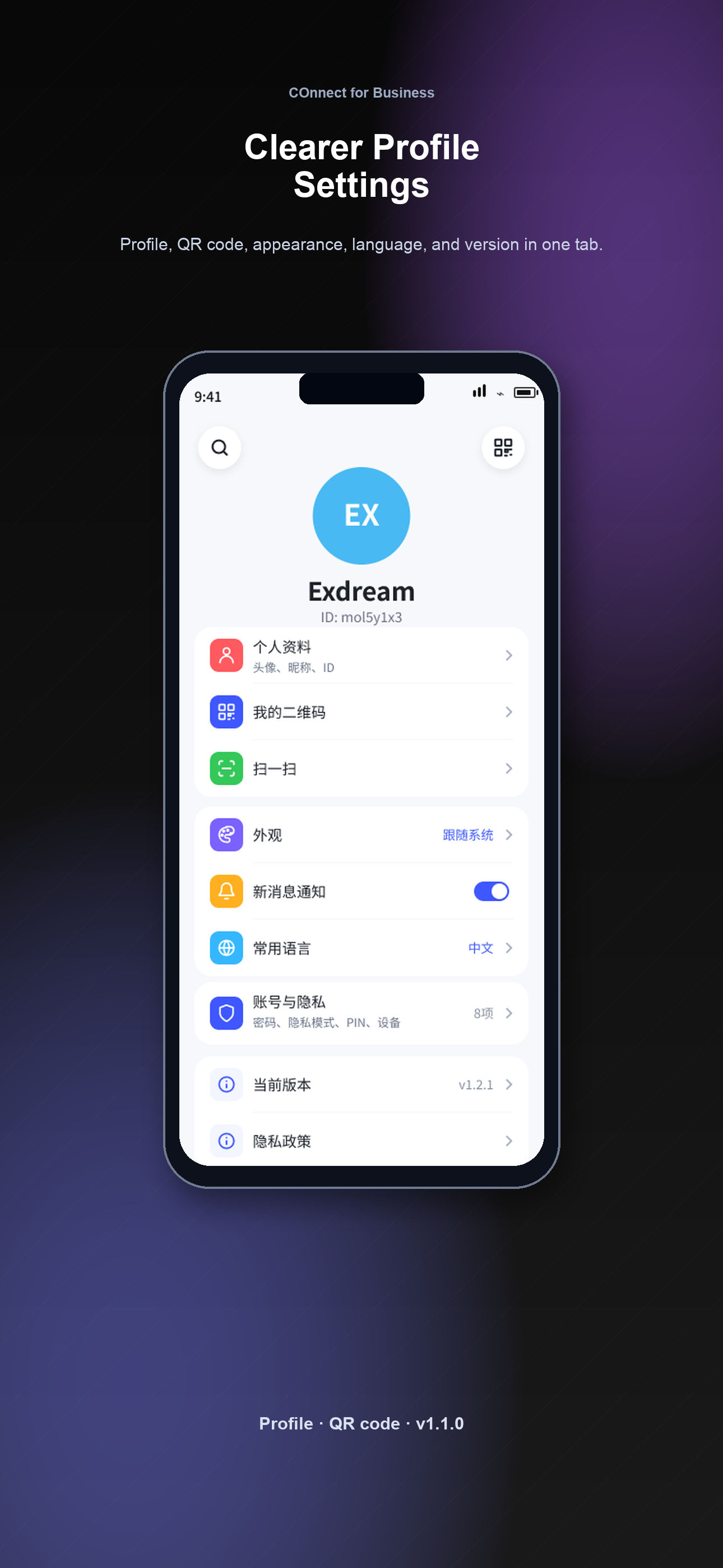
Browse the official launch screenshots and open the live listing anytime.
Open in App Store
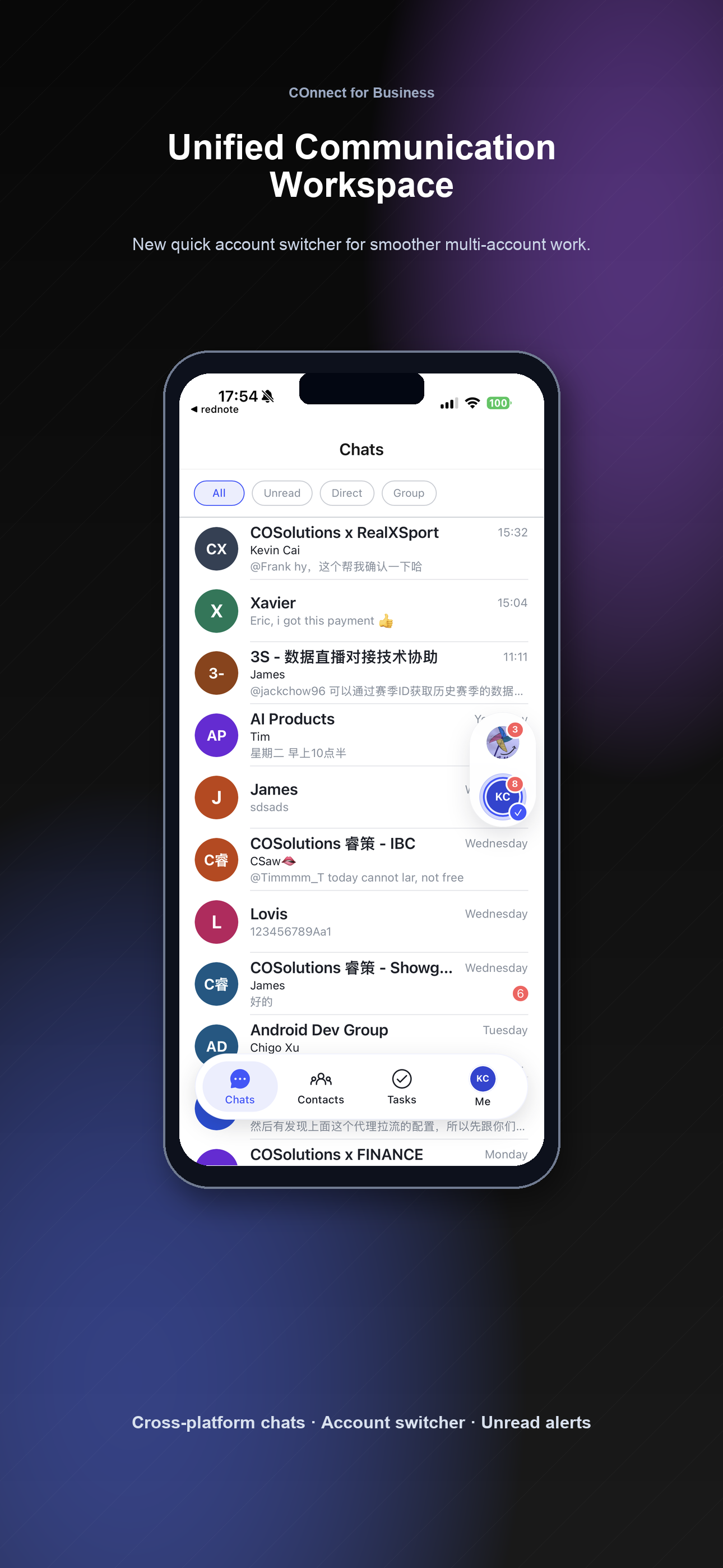
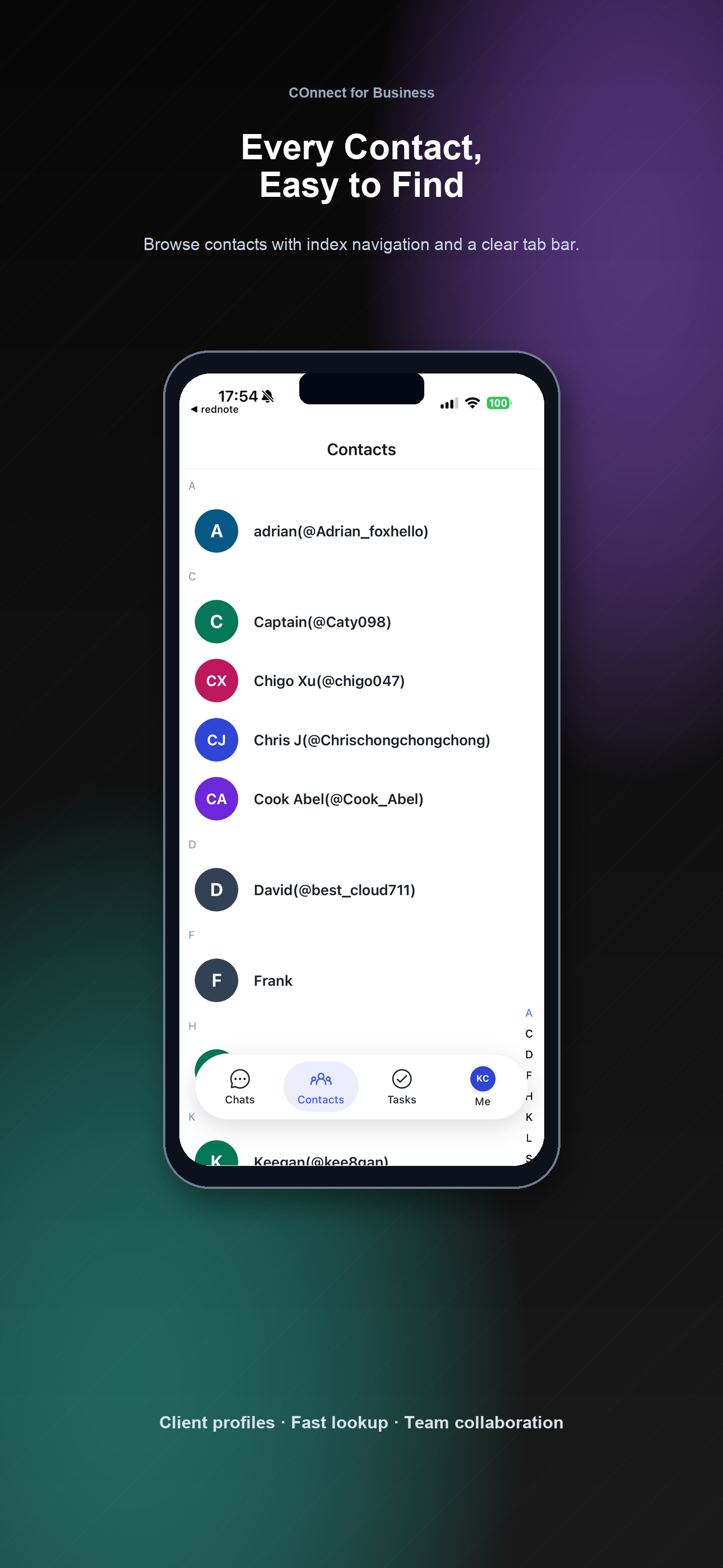
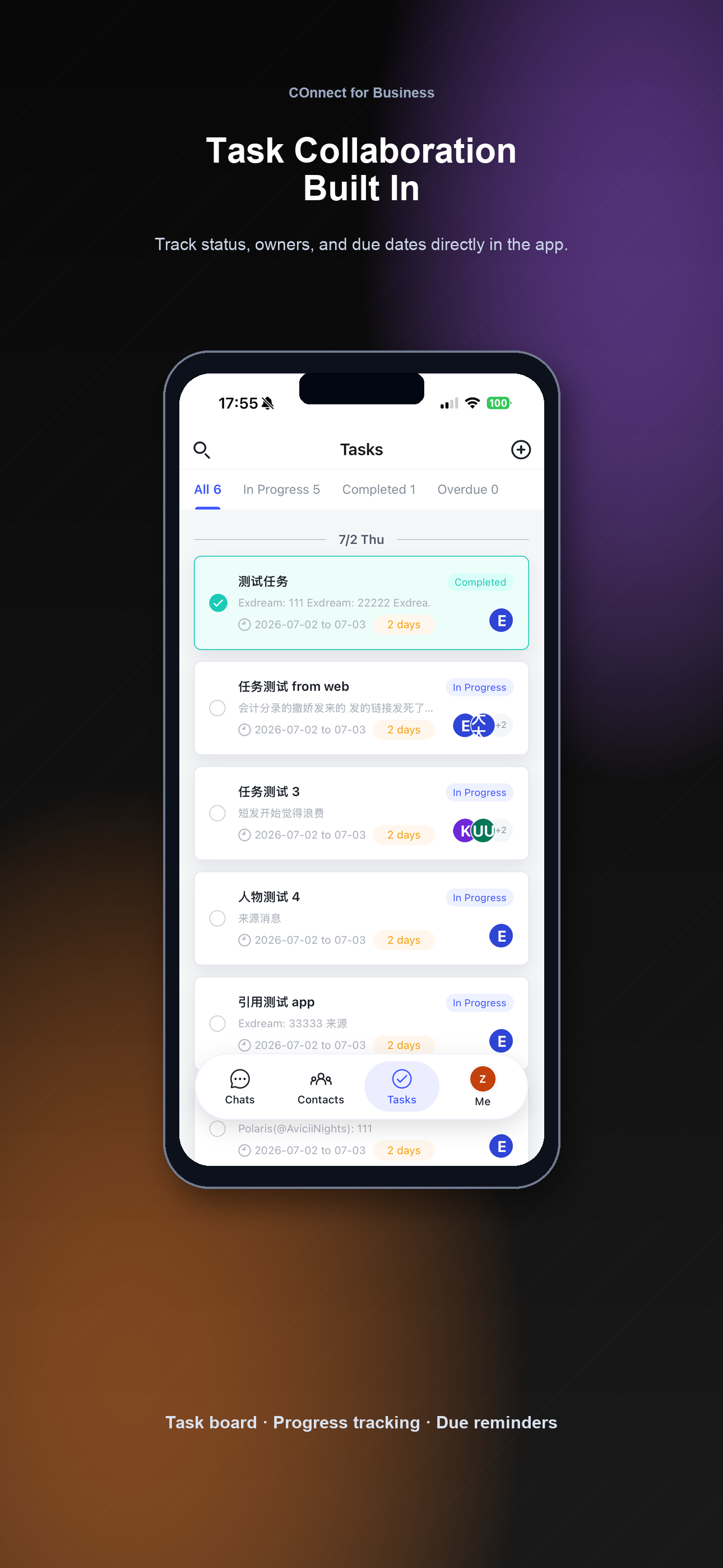
Produced by COsolutions
Built by COsolutions for secure, everyday communication.
COnnect is produced by COsolutions, a Malaysia-based company building technology and service capabilities for real-world communication, operations, and data protection needs.
Visit COsolutions- Technology
- IT services, cloud capabilities, modernization, CDN performance, and support.
- Operations
- Managed business services for organizations that need dependable execution.
- Enablement
- Marketing, finance, mobility, visa, and liaison services for broader needs.