
Telegram operations and team governance · October 30, 2026
Telegram customer support shift handover checklist
When a support shift ends, a customer conversation should not depend on one employee remembering to pass it on. A short handover routine can make pending replies, current ownership, and the next action clear to the incoming teammate.
Why shift changes create customer-support gaps
A message can arrive near the end of a shift, while an answer depends on another team, or after the current owner has stepped away. If the outgoing employee leaves only a private note—or no note at all—the next shift may not know whether to reply, wait, escalate, or follow up.
The goal is not to write a long report for every conversation. It is to leave just enough shared context for another authorized teammate to continue the customer relationship without guessing.
A practical handover routine
1. Review the pending-reply worklist before signing off
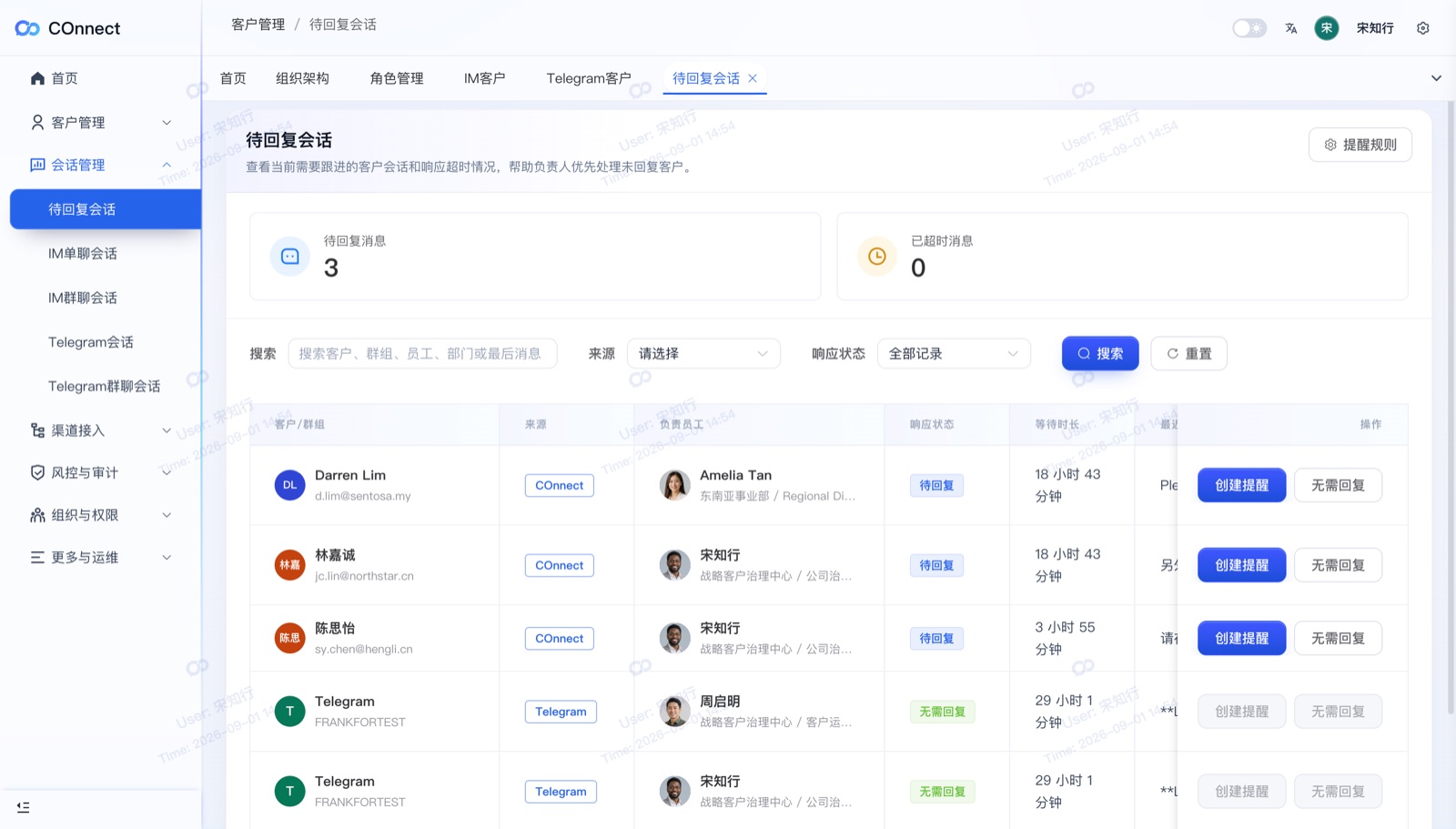
Open the team's pending-reply view and review conversations that still need a response or a clear next action. Sort or filter by owner, channel, response state, or waiting time when those options are available. Include new messages that arrived during the final part of the shift.
2. Decide what state each conversation is actually in
For each item, distinguish between a reply that can be sent now, a reply that depends on an internal answer, a customer follow-up that has a known time, and a conversation that does not require a reply. If work is waiting, record the reason and what should unblock it instead of leaving an ambiguous “in progress” note.
3. Name one next owner
Confirm who is responsible for the next customer-facing action. Choose an active teammate who is permitted to access the customer within the organization's configured scope. A team may share visibility, but an individual next owner prevents the task from silently becoming everyone's and no one's responsibility.
4. Leave concise, decision-ready context
Record the customer's latest question, what has already been promised, any decision still needed, and the next action with its expected timing. Keep notes focused on the business issue. Do not copy passwords, verification codes, payment credentials, or unrelated personal data into handover notes.
5. Verify the handoff in the shared workspace
After assigning the owner or follow-up task, check that the conversation shows the intended responsibility and status. The incoming teammate should be able to see the conversation history and permitted customer context needed to continue. If the handoff is not visible in the shared workflow, resolve that before treating it as complete.
6. Start the next shift with a brief reconciliation
The incoming lead should check the pending-reply list against the handover notes, then look for new customer messages or state changes since the notes were written. Confirm urgent commitments first and ask the outgoing teammate about any unclear or high-risk item while both shifts overlap, when possible.
A five-minute handover checklist
- Are all conversations waiting for a reply visible in the shared worklist?
- Does each open conversation have a clear response state and one next owner?
- Are blockers, promises, and the next action recorded in concise language?
- Can the receiving teammate access the conversation under the organization's normal permissions?
- Has the incoming shift checked for new messages and changed priorities?
A handover is useful when the next teammate can tell what happened, who acts next, and what “done” means. It should not become a second copy of the whole chat history.
How COnnect can support a shift handover
COnnect provides a pending-reply view for conversations that need attention, with response state, waiting-time context, and visible ownership in supported workflows. Teams can use customer context, internal notes, ownership changes, and follow-up tasks to record the next step. These controls help people coordinate a handover; they do not automatically schedule shifts or transfer every conversation when an employee signs off.
Use the pending replies guide to work through the queue and the customer ownership guide to keep the next responsible teammate clear. For organization-level roles and data boundaries, see the account security guide.
FAQ
Does COnnect automatically reassign conversations at shift change?
No. Teams should explicitly confirm the next owner and follow-up action in the supported workflow. Do not assume that a shift schedule or sign-off automatically transfers customer responsibility.
What should an outgoing agent include in a handover note?
Include the latest customer request, what has been promised, any blocker or decision needed, and the next action with its owner and expected timing. Avoid secrets and unrelated personal data.
Should every conversation be handed over at the end of a shift?
No. Review conversations that remain open or need a reply, follow-up, or explicit no-reply decision. Work that is complete does not need a handover note unless the team has a separate recordkeeping requirement.
Make the next customer action easy to see.
Explore how COnnect helps enterprise teams organize customer ownership, pending replies, and follow-up across supported communication workflows.
Talk to the enterprise team